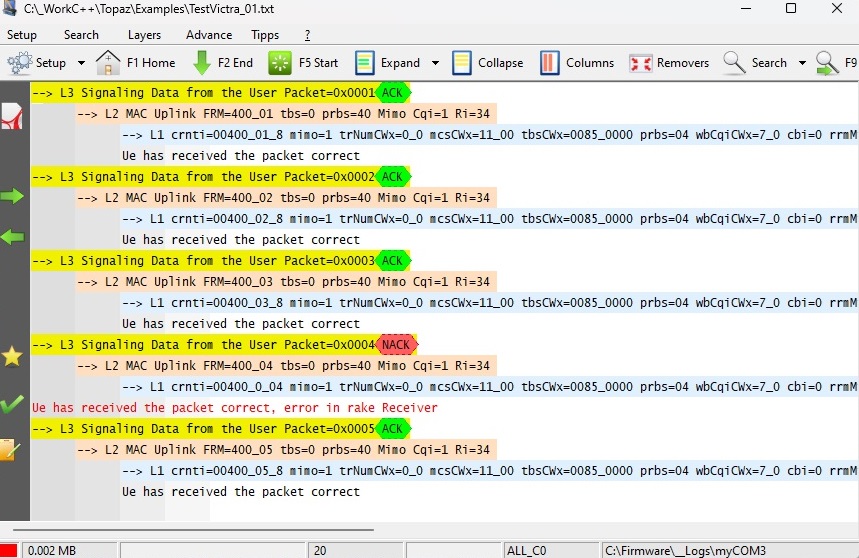
The highly intuitive Topaz analysis software trains the eye to process information more quickly. Topaz captures strings via multiple interfaces, such as MemoryMaps™, COM Ports, TCP/UDP, and USB, and displays them using colours and layers.
Users can define up to 20 keywords. Every incoming string is checked in real time for these keywords. If a match is found, it is assigned, and recording continues. Errors can be detected and highlighted (for example, in red). Strings matching keywords are displayed in the layer and colour specified in the settings.
Topaz also allows users to filter or trigger strings containing the defined keywords.
Strings can be organized into up to four layers, which can be expanded or collapsed for easier viewing. Many embedded devices have layered structures; Topaz helps users organize and visualize their data similarly.